


Modem Usage for Internet Connection
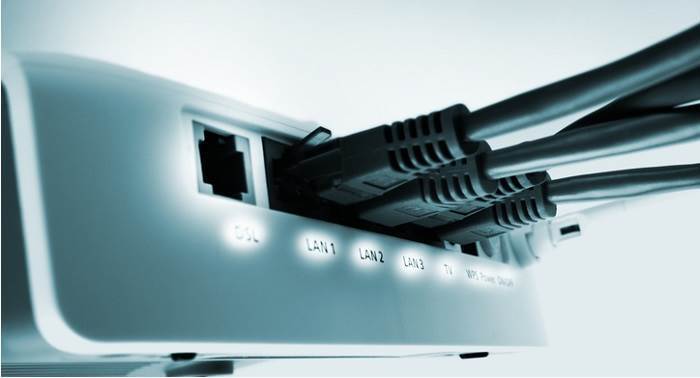
As you know modem is common network device which is used to build connection from computer to Internet, but there are different types of modem available on market, and you might wonder about the difference between them.
This is the reason I write this article to explain about D S L, cable and dial up modems, hope you have better understanding after reading it.
D S L Modem
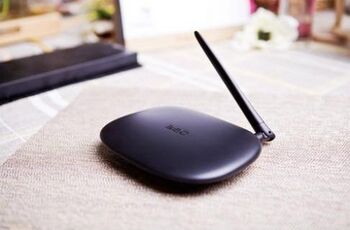
D S L modem is a network device that can be used to connect your computer to Internet via D S L (Digital Subscriber Line) connection. Nowadays it’s common to find router with built-in D S L modem feature too, and so it could be connected to multiple computers to connect to Internet at the same time.
D S L connection operates on telephone network, the same network which is used for dial up Internet connection, but the bandwidth offered by D S L connection is much higher than dial up connection. The bandwidth provided by D S L can be from 128 Kbps to 3-7 Mbps or higher.

Common D S L connections are A D S L (Asymmetric Digital Subscriber Line) and S D S L (Symmetric Digital Subscriber Line). A D S L offers Internet connection with different upload/download bandwidth (download bandwidth is higher that upload bandwidth), whereas both download and upload bandwidth are the same for S D S L connection.
Once you got the D S L modem, connect the o the modem’s phone port, then use network cable to connect computer’s network card to modem’s LAN port and power up the modem, finally proceed to configure the D S L modem and also computer to make it work as advised by ISP (Internet Service Provider).
To find out more, check the DSL modems here.

Cable modem
You need to have cable modem if you want to establish high speed cable Internet connection, and this service is usually provided by cable TV provider. Sometimes newer set-top box is built with cable modem feature, so in this case you don’t need a separate cable modem.
Unlike D S L connection which is operated on telephone network, cable Internet connection runs on cable TV network. Speed wise, it’s quite similar to D S L Internet speed.

In order to use it, you need to connect coaxial cable from cable modem to cable TV wall outlet, also connect Ethernet network cable from modem to computer too, later power up the modem. Once you have configured both cable modem and network card on computer as advised by service provider, you should be able to connect your computer to Internet. In addition, It’s common to connect D S L modem to wireless router or wired Ethernet router to share Internet connection with multiple computers.
If you are interested on this network device, check out more here!

Dial Up Modem
Dial up modem is used for establishing dial up Internet connection from computer or laptop by using telephone line. It’s not popular anymore as it’s pretty slow with up to 56 Kbps transmission speed only, but it’s still used in rural areas with no other better Internet connection service or as backup connection. In addition, most of dial up modems also allows you to connect it to the fax machine for faxing purpose.
The dial up modem comes in different types, it can be standalone hardware modem, P C I dial up modem or USB dial up modem. Please note P C I and USB modems will be powered by connected computer, so you don’t need another power socket for this device. If you use laptop, most likely you don’t need this as it’s commonly comes with built-in dial up modem.
How to use it? Connect the dial up modem to your computer, after that connect the phone line to the modem’s telephone port, after that configure dial up connection on computer to establish the connection. Of course don’t forget to install modem driver before using it. You can also check out more here!
